Here’s something that surprised me: nearly 40% of cryptocurrency users abandon wallet configurations halfway through because of confusing instructions. I was almost one of them when I first attempted connecting to alternative blockchain networks.
That frustration led me here—to create the straightforward guide I wish existed back then. We’re walking through the complete EGEM wallet setup process together, no assumptions about your technical background.
EGEM, or EtherGem, runs as an independent Layer-1 blockchain. It’s not riding on Ethereum’s coattails. It has its own consensus rules and security architecture.
Getting your egem custom rpc metamask connection right matters. It unlocks access to the entire ecosystem.
This guide covers why custom network connections exist. You’ll learn what makes this blockchain different. We’ll walk through the exact ethereumgem network configuration steps you’ll need.
Think of this as your troubleshooting companion. It saves you from trial-and-error headaches.
Key Takeaways
- EGEM operates as an independent Layer-1 blockchain with its own consensus mechanism and security model
- Proper wallet configuration is essential for accessing the complete EtherGem ecosystem
- Custom network settings allow connection to blockchains beyond standard options
- This guide provides step-by-step instructions without assuming prior technical knowledge
- Understanding the differences between Layer-1 networks helps prevent configuration mistakes
- Following exact configuration parameters ensures successful network connectivity
Introduction to EGEM and MetaMask
Blockchain configuration sounds scary until you understand the basic pieces you’re connecting. Setting up EGEM with MetaMask means teaching two powerful tools how to talk to each other. Once you grasp what each part does, the actual setup becomes simple.
I’ve helped many people through this process. The biggest “aha moment” happens when they realize they’re not doing anything mystical. You’re simply giving your wallet a roadmap to find and interact with a specific blockchain network.
What is EGEM?
EGEM—short for EtherGem—is what developers call a Layer-1 network. This distinction matters more than you might think. Understanding Layer-1 network fundamentals helps clarify why EGEM operates the way it does.
Unlike tokens that exist on other blockchains, EGEM runs its own complete infrastructure. It maintains independent consensus mechanisms and processes its own transactions. It enforces its own security protocols without relying on external networks.
Think of it as owning your house versus renting an apartment. Layer-1 blockchains like EGEM have complete autonomy.
The EGEM coin serves multiple critical functions within this ecosystem. Users need it to pay transaction fees when moving assets or interacting with smart contracts. Network participants can stake EGEM to contribute to security and consensus.
The coin also enables governance participation. This lets holders vote on protocol improvements.
From a technical standpoint, EGEM’s architecture follows proven blockchain principles while maintaining its unique identity. The network processes transactions independently and validates blocks through its consensus system. It maintains a complete ledger of all historical activity.
This independence means proper EGEM blockchain configuration in your wallet requires specific network parameters. These parameters differ from Ethereum or other chains.
One aspect I particularly appreciate about EGEM is its community-focused approach. The network supports various activities including mining pools where participants can contribute computational resources and earn rewards. This decentralized participation model strengthens network security while providing opportunities for users to engage beyond simple transactions.
Overview of MetaMask
MetaMask has become the Swiss Army knife of cryptocurrency wallets—and for good reason. Originally developed as a browser extension for Chrome, it’s expanded to Firefox, Brave, Edge, and mobile platforms. But calling it just a “wallet” undersells what it actually does.
At its core, MetaMask serves as your gateway to decentralized applications. It stores your private keys securely and signs transactions when you approve them. The wallet communicates with blockchain networks on your behalf.
The interface sits right in your browser. This makes blockchain interaction feel as natural as checking email.
What makes MetaMask particularly valuable for EGEM users is its network flexibility. While it defaults to Ethereum mainnet, the wallet supports any EVM-compatible blockchain through custom configurations. This compatibility means the same wallet managing your Ethereum assets can also handle EGEM.
It can manage Binance Smart Chain, Polygon, and dozens of other networks too.
The security model deserves mention here. MetaMask never stores your keys on external servers. Everything stays local to your device, encrypted with your password.
You receive a 12-word recovery phrase during wallet creation or import. This seed phrase becomes your ultimate backup, capable of restoring access across any device.
For establishing an ethergem blockchain connection, MetaMask’s architecture provides exactly what you need. The ability to manually add network details tells your wallet where EGEM lives on the internet. It also shows how to identify it and what rules govern interactions with it.
Importance of Custom RPC
Now we get to the technical bridge that makes everything work—RPC, or Remote Procedure Call. This sounds complicated, but the concept is surprisingly simple. RPC defines how your wallet talks to the blockchain.
Think of it like international calling codes. Your phone works fine domestically, but to call another country, you need the right prefix. Similarly, MetaMask works great with its default networks, but to reach EGEM, it needs specific connection details.
Custom RPC configuration answers several critical questions for your wallet:
- Where are the network nodes located that can process my requests?
- What unique identifier distinguishes this network from others?
- Which block explorer should display transaction details?
- What’s the native currency symbol for this network?
Without proper EGEM blockchain configuration through custom RPC settings, MetaMask simply doesn’t know this network exists. You could have EGEM coins sitting at your address. But your wallet would display zero balance because it’s looking at the wrong blockchain entirely.
The RPC endpoint itself is a server address—a URL that points to nodes running the EGEM network. Your MetaMask sends transactions to this endpoint. The nodes then broadcast it across the network for validation and inclusion in blocks.
Response data flows back through the same connection. This updates your wallet with confirmations and balance changes.
I’ve seen users get frustrated when their tokens don’t appear after a transfer. Nine times out of ten, the issue traces back to incomplete or incorrect RPC settings. The transaction succeeded on the blockchain, but their wallet was looking at the wrong place for confirmation.
Security considerations matter here too. The RPC endpoint you use should be trustworthy—either official network nodes or reputable third-party providers. Malicious RPC servers could theoretically feed false information about balances or transactions.
However, they cannot access your private keys or steal funds directly.
For ethergem blockchain connection specifically, having the correct RPC details ensures your wallet can accurately query balances. It can estimate gas fees, submit transactions, and retrieve confirmation data. Each of these operations depends on reliable communication between MetaMask and EGEM network nodes.
The good news? Once you configure these settings correctly, they persist indefinitely. MetaMask remembers the network configuration, letting you switch between EGEM and other blockchains with a simple dropdown selection.
This flexibility transforms a single wallet into a multi-network powerhouse.
Setting Up Your MetaMask Wallet
The wallet installation process for MetaMask takes about ten minutes from start to finish. Before you can metamask add EGEM network or configure any custom network metamask settings, you need a working wallet. Think of this as building the foundation before adding the custom features.
I’ve walked probably a dozen friends through this process, and the most common mistake? Rushing through the security steps. People treat wallet setup like installing any other browser extension. This isn’t Chrome adding a spell-checker—you’re creating something that could potentially hold significant value.
Getting the Extension Installed
Head directly to metamask.io for the official download. I’m emphasizing this because phishing sites are everywhere, and they’re getting sophisticated. Type the URL manually rather than clicking a search result if you can.
MetaMask works as a browser extension for Chrome, Firefox, Brave, and Edge. There’s also mobile apps for iOS and Android. I personally use both—desktop for transactions that need careful attention, mobile for quick balance checks.
The installation itself is standard browser extension stuff. Click “Download,” select your browser, and confirm the installation. You’ll see a little fox icon appear in your toolbar within seconds.
That fox becomes your gateway to the blockchain world. This includes EGEM once we add it as a custom network.
Building Your New Wallet
Click that fox icon and you’re immediately given two paths: create a new wallet or import an existing one. For first-timers, you’re creating new. The process starts with setting a password.
Your password needs to be actually strong. Not “password123” strong, not “your dog’s name plus a number” strong. I’m talking mixed case, numbers, symbols—the works.
This password unlocks MetaMask on this specific device. It’s your first line of defense.
Then comes the critical part: your secret recovery phrase. MetaMask generates a random 12-word phrase that’s essentially the master key to your entire wallet. This phrase can restore your wallet on any device.
Write it down. Physically. On actual paper.
I keep mine in a fireproof safe because I’ve heard too many stories about people losing access. One friend took a screenshot “just to be safe” and had his phone compromised three months later. Another trusted his memory and forgot two words within a week.
MetaMask will test you by asking you to select words in the correct order. This isn’t busywork—it’s verification that you actually recorded the phrase correctly. Take your time here.
Restoring a Previous Wallet
If you’re importing an existing wallet, the process is more straightforward but requires that 12-word secret recovery phrase. This is how you access the same wallet across multiple devices. Your laptop, your phone, a new computer after your old one dies.
Select “Import wallet” instead of “Create new,” then enter your phrase in the exact order it was given. Word order matters absolutely. “Apple banana cherry” is completely different from “cherry apple banana.”
You’ll still set a password, but understand this: the password is device-specific, the secret phrase is universal. You could use different passwords on your laptop and phone for the same wallet. The phrase is what actually identifies your wallet on the blockchain.
Once imported, you’ll see the same account address and the same balance you had before. This proves an important point: MetaMask doesn’t store your crypto. Your funds exist on the blockchain itself.
MetaMask is just the window through which you view and interact with them. Your secret phrase is what grants access to that window.
After setup—whether new or imported—you’ve got a functioning wallet ready for the next step. That account address you’re now looking at? That’s what you’ll use when we add EGEM as a custom network.
Understanding RPC and Its Importance
Have you wondered how your wallet talks to blockchain networks? The answer is something called RPC. It sounds technical, but it’s simple once you understand it.
Think of RPC as the language MetaMask uses to chat with the blockchain. Without it, your wallet can’t check balances or send transactions.
The RPC functionality blockchain systems use creates a vital link. It connects what you see on screen to the decentralized network.
What RPC Actually Means
Remote Procedure Call is just a fancy name for a simple idea. Your wallet doesn’t store your EGEM balance locally. Instead, it asks a network node for that information.
The node processes your request and sends back the answer. This entire exchange happens through an RPC endpoint.
An RPC endpoint is basically a server address. Your wallet contacts it to reach the blockchain network.
MetaMask comes with default RPC endpoints for popular networks like Ethereum. But Layer-1 networks like EGEM operate independently with their own setup.
These networks handle transactions and smart contracts on their own. They use their own validation systems without relying on external help.
That’s why you must manually add the ethereum classic gem rpc details. You’re telling MetaMask where EGEM lives and how to reach it.
How RPC Makes Your Wallet Actually Useful
Your RPC connection quality directly affects your experience. Poor RPC connections cause problems that seem like wallet issues.
Here’s what proper RPC configuration enables:
- Real-time balance updates that reflect your actual holdings instantly
- Accurate gas fee estimation before you send transactions
- Seamless interaction with decentralized applications built on the network
- Transaction history verification through connected block explorers
- Smart contract execution without manual intervention
A reliable node means fast loading and accurate data. A poor connection causes delays, errors, and failed transactions.
Geographic proximity to the node can surprisingly affect response times. Closer nodes usually respond faster than distant ones.
RPC configuration makes the difference between a wallet and a useful wallet. Without it, MetaMask can’t hear the blockchain or broadcast your transactions.
| Connection Quality | Response Time | User Experience | Reliability |
|---|---|---|---|
| High-Quality RPC Node | Under 200ms | Instant balance updates, smooth transactions | 99%+ uptime |
| Average Public Node | 500ms – 2 seconds | Noticeable delays, occasional timeouts | 95-98% uptime |
| Overloaded/Poor Node | Over 3 seconds | Frequent errors, failed requests | Below 90% uptime |
| Private Custom Node | 100-300ms | Enhanced privacy, consistent performance | Depends on setup |
Practical Scenarios for Custom RPC Configuration
Custom RPC endpoints serve several important purposes beyond adding new networks. Some users set up multiple RPC endpoints as backups.
If one node goes down, MetaMask automatically switches to the next. This keeps your wallet working smoothly without interruption.
Privacy-conscious users often prefer private RPC nodes. Public nodes can see your IP address and transaction patterns.
Running your own Ethergem custom node keeps your activity more private. Using a trusted private endpoint also protects your information.
For EGEM, you might connect to community-run nodes that focus on reliability. Certain Ethergem custom node operators maintain better uptime than generic public endpoints.
Developers working on EGEM projects need custom RPC access to testing networks. These test environments let you experiment without risking real money.
Geographic optimization matters for connection speed. Connecting to a physically closer node reduces waiting time noticeably.
Understanding RPC makes troubleshooting much easier. Failed transactions or missing balance updates often stem from RPC problems.
Maybe the node is overloaded or out of sync. Perhaps you’ve hit a rate limit on requests.
Knowing what happens behind the scenes helps you solve problems logically. You can ask better questions about your endpoint and node status.
Steps to Add EGEM Custom RPC to MetaMask
Let me show you how to connect EGEM to your MetaMask wallet step-by-step. Getting these ethereumgem rpc settings right is crucial. Once you know where everything is, the whole process takes under three minutes.
The key is understanding what each field means. Have the correct information ready before you start clicking around.
Accessing MetaMask Settings
First, you need to get into the network settings area of MetaMask. Click on your MetaMask extension icon in your browser toolbar. You’ll see your current network displayed at the top.
Click on that network dropdown. You’ll see a list of networks MetaMask already knows about. Scroll all the way down until you find “Add Network” or “Add Network Manually”.
Newer versions of MetaMask have streamlined this process. You might see a button that says “Add a network manually” at the bottom. Older versions just had “Custom RPC” as an option.
The beauty of blockchain technology is that anyone can connect to any network as long as they have the right parameters—it’s permission-less by design.
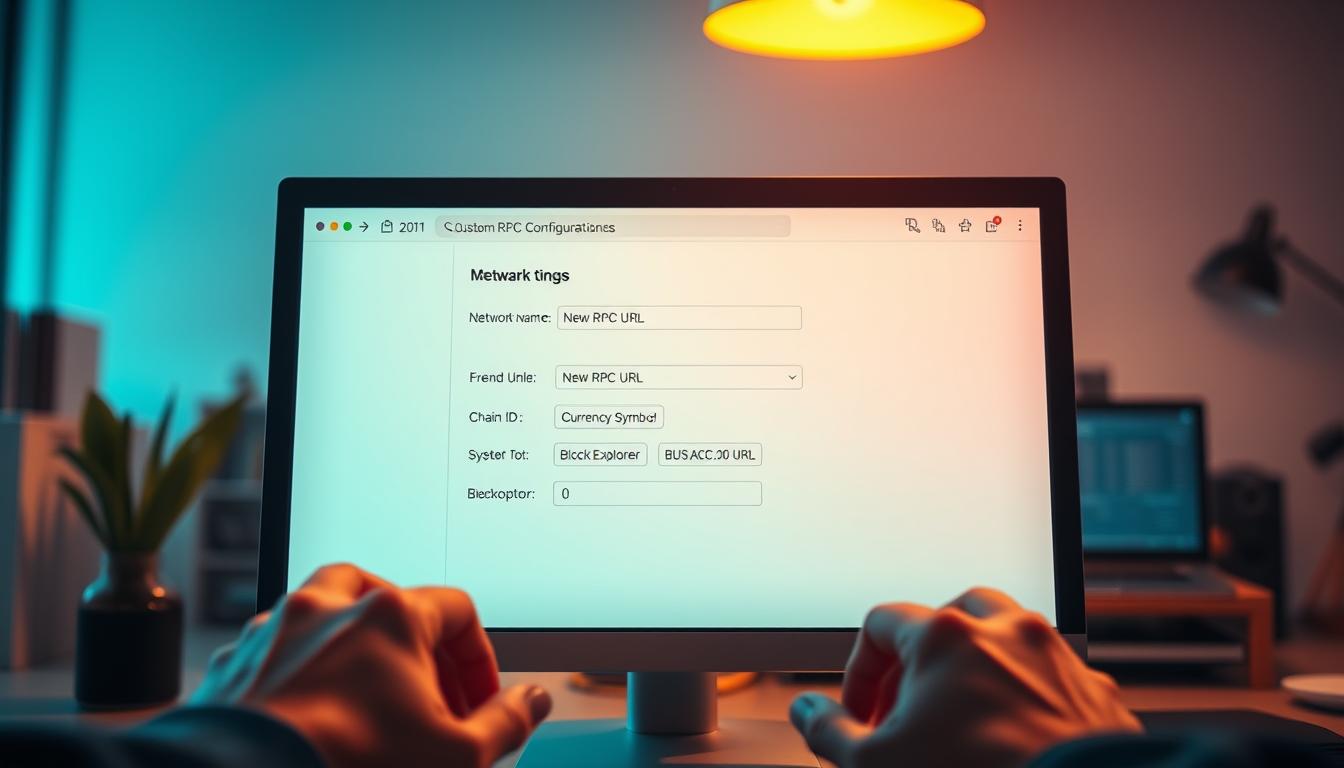
Once you click through, MetaMask opens a form with several empty fields. This is where the magic happens. One wrong character will cause connection failures.
Entering EGEM RPC Details
Now comes the most important part—entering the correct metamask network parameters EGEM requires. Each field serves a specific purpose. I’m going to explain what goes where and why it matters.
Here’s the complete breakdown of what you need to enter. This table shows everything at once:
| Parameter Field | Value to Enter | Purpose and Notes |
|---|---|---|
| Network Name | EGEM or EtherGem | This is just a label you’ll see in MetaMask—name it whatever helps you recognize it quickly |
| New RPC URL | https://jsonrpc.egem.io/custom | The actual endpoint address where your wallet connects to the EGEM network—this is the most critical field |
| Chain ID | 1987 | EGEM’s unique network identifier that prevents cross-chain transaction errors and ensures you’re on the right blockchain |
| Currency Symbol | EGEM | What MetaMask displays as your balance unit—appears next to your wallet balance |
| Block Explorer URL | https://explorer.egem.io | Optional but recommended—lets you click through to view transaction details on the web-based explorer |
The RPC URL is where most people hit problems. That URL needs to be exactly right—no extra spaces, no missing characters. If you’re reading this months later, double-check the official EGEM documentation for the current endpoint.
The Chain ID is your safety mechanism. It’s a unique number that identifies the EGEM network specifically. This prevents you from accidentally broadcasting an EGEM transaction on Ethereum.
Some people skip the Block Explorer URL because it’s marked optional. Don’t do that. Having quick access to a blockchain explorer is incredibly useful.
Once you’ve carefully entered all these custom RPC configuration steps, review everything twice. Scan each field character by character. Then click “Save” or “Add” depending on your MetaMask version.
Verifying the Connection
Saving the network doesn’t automatically switch you to it. Go back to that network dropdown at the top of MetaMask. Select “EGEM” or whatever you named it.
If everything’s configured correctly, MetaMask should switch to the EGEM network without errors. You’ll see your wallet address displayed. The currency symbol should show “EGEM” next to the balance area.
Here’s how I verify the connection is working properly. First, check if the network name appears correctly in the dropdown. Second, look for any error messages.
A proper verification test involves checking if you can see known EGEM addresses. Click on your account details, then click “View on Explorer” if that option appears. This should open the EGEM block explorer showing your address.
Network connection issues aren’t always about wrong settings. Sometimes corporate firewalls or public WiFi networks block certain RPC connections. If you’re consistently getting connection errors, try switching to a different internet connection.
Another verification method is attempting to send a tiny test transaction to yourself. This confirms the entire pipeline is working. Just make sure you actually have some EGEM tokens first.
If your connection verified successfully, congratulations—you’re now connected to the EGEM network through MetaMask. Your wallet will remember these settings. You can switch between networks using that same dropdown whenever you need to.
Graphs on EGEM Network Activity
Graphs reveal EGEM’s network health better than spreadsheets ever could. Raw numbers in columns hide trends and momentum shifts. Visual data shows ecosystem vitality clearly.
I’ve analyzed blockchain activity graphs extensively. Patterns emerge only when you plot data points across time. This makes graphs essential for understanding network performance.
Understanding EGEM network statistics requires looking beyond single snapshots. You need to see how metrics evolve over time. Does user adoption accelerate or does performance degrade under load?
Networks that survive long-term show predictable patterns in their visual data. EGEM follows this principle too. Consistent patterns indicate healthy network development.
I can’t embed live, interactive charts here. However, I can guide you through meaningful blockchain data visualization. I’ll show you where to find these graphs and how to interpret them.
Analyzing User Growth Over Time
Active address counts form the foundation of user growth analysis. This metric tracks unique wallets interacting with EGEM during specific timeframes. Think of it as foot traffic in a physical store.
Healthy Layer-1 networks demonstrate steady or growing active addresses over time. Line graphs typically display this data clearly. The horizontal axis represents time while the vertical axis shows address counts.
Sharp spikes might indicate special events. These include new app launches, airdrop distributions, or sudden market interest. External factors often drive these temporary increases.
Access EGEM’s official block explorer or community-maintained analytics dashboards. I recommend focusing on trends rather than absolute numbers. Growth patterns matter more than single data points.
A network with 5,000 daily active addresses growing at 10% monthly looks promising. One with 50,000 addresses but declining participation signals trouble. Consistent growth indicates genuine ecosystem development.
Erratic patterns with massive spikes followed by dramatic drops suggest speculation. Sustainable adoption shows steady baseline trends underneath short-term volatility. Look for consistent patterns in blockchain activity graphs.
Transaction Volume Statistics
Transaction volume data reveals how actively people engage with EGEM. This distinction matters enormously for network health. Thousands of rarely-used wallets differ from hundreds generating substantial daily activity.
Solana processed over 65 million transactions in a single day. Avalanche’s C-Chain set records with 3.07 million transactions during peak periods. These numbers showcase network capacity and real-world utility.
Meaningful transaction volume visualization for EGEM should include several components. Daily transaction counts show raw activity levels. Transaction value indicates economic significance.
A breakdown separating simple transfers from smart contract interactions reveals ecosystem sophistication. This detail helps assess network maturity. More complex interactions suggest advanced ecosystem development.
High transaction volume combined with stable user counts suggests active engagement rather than speculative churn. Bar graphs or area charts work well for this data. You can compare different periods at a glance.
Quickly spot whether weekend activity drops significantly. Check if certain months show seasonal patterns. Determine whether the network experiences steady growth.
The true measure of a blockchain’s health isn’t peak transaction capacity—it’s sustained, consistent usage that proves real-world utility.
Here’s what comparative transaction volume data typically looks like across established Layer-1 networks:
| Network | Daily Transactions (Peak) | Average TPS | Total Value Locked (TVL) | Finality Time |
|---|---|---|---|---|
| Solana | 65.8 million | 2,700 | $4.2 billion | 12.8 seconds |
| Avalanche C-Chain | 3.07 million | 4,500 | $850 million | 2 seconds |
| Polygon | 4.5 million | 7,200 | $1.1 billion | 2.3 seconds |
| EGEM (Estimated) | Variable | Check explorer | Community data | Network dependent |
This comparison helps contextualize EGEM’s transaction volume data within the broader blockchain landscape. Newer or smaller networks won’t match established platforms immediately. What matters is trajectory and consistency.
Network Performance Metrics
Performance metrics get technical quickly but directly impact your user experience. Three measurements dominate this category: average block time, transaction finality time, and transactions per second capacity. Each tells you something different about network efficiency.
Average block time measures how long the network takes to add a new block. Shorter block times generally mean faster transaction confirmations. EGEM’s block time determines how quickly you see initial confirmation.
Transaction finality time indicates when a transaction becomes irreversible. Some networks achieve finality in seconds while others require multiple confirmations spanning minutes. Finality under 10 seconds provides excellent user experience for most applications.
Transactions per second (TPS) capacity reveals maximum throughput under ideal conditions. Real-world sustained TPS typically runs lower than theoretical maximums. Compare actual sustained TPS against claimed capacity for realistic performance expectations.
These metrics appear best as combination visualizations. Line graphs show values over time alongside comparison charts stacking EGEM against similar Layer-1 networks. These performance graphs tell you whether the network can handle growth.
Network performance directly correlates with user satisfaction. Slow block times frustrate users waiting for confirmations. Poor TPS capacity leads to transaction backlogs and increased fees during peak usage.
Monitoring these metrics helps you predict whether EGEM can support your intended use cases reliably. Performance data guides decision-making for serious ecosystem participation. Regular monitoring reveals developing issues before they become critical.
Where do you actually find these blockchain activity graphs? Start with EGEM’s official block explorer. Most modern explorers include dedicated “Charts & Statistics” or “Analytics” sections.
Community-run platforms similar to Dune Analytics or DeFiLlama may aggregate this data. EGEM needs sufficient coverage and community interest for this aggregation. Check these platforms for comprehensive data visualization.
The EGEM community channels on Discord or Telegram often share regular network statistics updates. Active communities typically produce weekly or monthly reports highlighting key metrics. These grassroots analytics sometimes reveal insights that official sources overlook.
Benefits of Using EGEM with MetaMask
I’ve tested multiple Layer-1 networks through MetaMask. EGEM stands out for several concrete reasons. The question isn’t whether you can use EGEM with MetaMask—it’s whether the EGEM MetaMask benefits justify the setup effort.
After working with this configuration for months, I can tell you the answer is yes. This is especially true if you value security, speed, and genuine ecosystem participation.
The advantages go beyond marketing hype. They’re rooted in how Layer-1 blockchains function. MetaMask enhances that functionality through its proven interface.
Enhanced Security Features
Security starts with architecture. That’s where EGEM’s Layer-1 design makes a real difference. Unlike tokens that exist on other chains through bridges, EGEM operates its own independent network.
Your tokens exist natively on the EGEM chain through MetaMask. There’s no bridge operator holding your actual assets. There’s no smart contract vulnerability in a wrapping protocol that could drain your holdings overnight.
Your security is backed by the entire EGEM network’s consensus mechanism. The same distributed validator set processes every transaction and maintains the blockchain. That’s the foundation of secure blockchain transactions.
Decentralization isn’t just a buzzword—it’s a security model where no single entity controls the network, making censorship and manipulation exponentially harder.
MetaMask itself adds another security layer that I’ve come to appreciate. The wallet keeps your private keys locally encrypted on your device. This means even if MetaMask’s company disappeared tomorrow, you’d still control your funds.
I’ve always maintained that true ownership means holding the keys yourself. This setup delivers exactly that—institutional-grade security with complete self-custody control.
Improved Transaction Speeds
Speed and cost are where smaller Layer-1 networks like EGEM can genuinely outperform congested giants. I’ve sent transactions on Ethereum mainnet during peak times. They sat pending for 20 minutes while gas fees hit $40.
EGEM sets its own parameters for block times and transaction throughput. Focused networks often process transactions faster and cheaper than massive congested chains.
You configure MetaMask for EGEM and potentially access a network where transactions confirm in seconds. Gas fees measured in cents rather than dollars make EGEM practical for activities that become prohibitively expensive elsewhere.
Think about the use cases this enables. Micropayments for content creators become possible. Frequent trading without worrying each swap costs $15 in fees is realistic.
Testing smart contracts during development without burning through funds makes sense. Playing blockchain games where every action is an on-chain transaction becomes affordable.
These aren’t theoretical benefits—they’re practical differences I notice every time I interact with the network. The improved transaction speeds change how you use blockchain technology. It shifts from occasional high-value transfers to everyday utility.
Greater Accessibility to EGEM Ecosystem
Here’s what really matters in the long run: EGEM ecosystem access. Once MetaMask is properly configured, you can interact with any decentralized application built on EGEM. Without proper RPC configuration, these dApps are effectively invisible to you.
The ecosystem might include decentralized exchanges for trading EGEM-based tokens. NFT marketplaces showcase digital art specific to EGEM. DeFi protocols offer lending and borrowing with competitive rates because transaction costs are lower.
Gaming applications use EGEM for in-game economies without bankrupting players with gas fees. I’ve participated in several blockchain ecosystems, and the pattern is consistent. The value isn’t in the base token alone.
It’s in what people build on top of that foundation. EGEM ecosystem access means participating in an economy, not just holding a currency.
You might engage with governance if EGEM uses token-based voting for protocol upgrades. Stake your tokens if the network supports delegated proof-of-stake consensus. Join community-built projects that demonstrate what makes any blockchain more than just a payment rail.
| Benefit Category | EGEM Advantage | Practical Impact | User Experience |
|---|---|---|---|
| Security Model | Native Layer-1 tokens with no bridge risk | Reduced vulnerability to wrapped token exploits | Peace of mind with self-custody |
| Transaction Efficiency | Lower congestion and optimized block times | Fees measured in cents, confirmations in seconds | Practical for frequent interactions |
| Ecosystem Participation | Direct access to EGEM-native dApps and protocols | DeFi, NFTs, gaming, governance without barriers | Full engagement with blockchain economy |
| Network Independence | Dedicated validator set and consensus mechanism | Not dependent on other chains’ security or uptime | Reliable access during market volatility |
The combination of these EGEM MetaMask benefits creates something greater than the sum of its parts. You’re not just adding another network to your wallet. You’re unlocking an entire parallel economy with its own applications, communities, and opportunities.
What impressed me most was the difference between reading about blockchain benefits and actually experiencing them. Lower fees mean I experiment more. Faster confirmations mean I’m not anxiously refreshing block explorers.
Native security means I sleep better knowing my assets aren’t dependent on a bridge operator’s smart contract security. These advantages make EGEM worth considering, especially if you’re tired of paying premium prices for basic transactions.
The secure blockchain transactions combined with actual usability create an environment where blockchain technology feels less like a novelty. It feels more like a tool.
Troubleshooting Common Issues
I’ve spent countless hours fixing EGEM connection issues and MetaMask problems. Let me save you some frustration. Blockchain technology involves multiple moving parts that must work together perfectly.
Your browser, the extension, RPC nodes, and network connectivity all need to sync. Knowing where to look makes the difference between a quick fix and hours of frustration.
Most MetaMask troubleshooting follows predictable patterns. Once you understand common failure points, you can diagnose issues quickly. You won’t need advanced technical knowledge.
Identifying and Resolving Connection Errors
Connection errors typically show up as MetaMask displaying “Could not fetch chain ID” or an endless loading spinner. These EGEM connection issues frustrate users because they completely block wallet functionality.
Start with the most obvious culprit—your RPC URL. I’ve discovered tiny typos or extra spaces causing entire connections to fail. Copy the RPC endpoint directly from official EGEM sources and re-enter it carefully.
Pay special attention to the protocol. Mixing up https:// versus http:// creates immediate failures.
If your URL is correct, the RPC node itself might be experiencing problems. Many blockchain networks provide multiple RPC endpoints for redundancy. Try switching to an alternative EGEM endpoint if available.
Node congestion happens frequently on growing networks. Too many users can overwhelm available infrastructure.
Network-level blocks cause surprisingly common connection problems. Corporate firewalls, school networks, and some home routers block specific ports. I’ve troubleshot issues where a VPN blocked the connection entirely.
Try these steps:
- Temporarily disable your VPN and test the connection
- Switch from WiFi to mobile data (or vice versa) to isolate network-specific issues
- Check your firewall settings for blocked applications
- Test the connection on a different device using the same network
Sometimes you’ll connect successfully but experience painfully slow performance or intermittent failures. This usually indicates node congestion rather than complete connection failure. Patience helps, but switching to a less congested endpoint provides better results.
Understanding Transaction Failures
Blockchain transaction errors sting worse than connection problems because they might cost you gas fees even when they fail. I’ve burned through ETH learning these lessons the hard way.
The most common culprit is insufficient gas limits. You’ve allocated too little computational resources for the transaction to complete. MetaMask estimates required gas automatically, but these estimates aren’t always accurate.
My rule of thumb: add a 10-20% buffer to estimated gas for anything beyond simple token transfers.
Slippage tolerance causes transaction failures during token trading or swapping. The price moves beyond your acceptable range before execution completes. You adjust slippage settings in the dApp you’re using, not in MetaMask itself.
If trades keep failing, increase your slippage tolerance incrementally until transactions go through.
Nonce issues create the weirdest transaction failures. The nonce is essentially a transaction counter that prevents replay attacks. MetaMask sometimes gets confused about transaction ordering, particularly with multiple rapid transactions.
Symptoms include transactions stuck “pending” indefinitely or transactions completing out of order.
Here’s how to handle stuck transactions:
- Click on the pending transaction in MetaMask
- Select “Speed Up” to increase the gas price and prioritize the transaction
- Alternatively, choose “Cancel” to stop the transaction entirely
- Wait for the new transaction to process before sending additional ones
Transaction failures also occur when your wallet lacks enough native tokens for gas fees. On EGEM, you need EGEM tokens for gas—not just the token you’re sending. I’ve seen users with thousands in tokens unable to transact because they had zero native currency.
Solving General MetaMask Problems
Beyond specific EGEM connection issues, MetaMask itself occasionally acts up across all networks. The extension might disappear entirely from your browser. Check your browser’s extension manager first.
Browser updates sometimes disable extensions automatically as a “security measure.”
Incorrect balance displays plague MetaMask users regularly. Your wallet shows zero balance despite knowing you have funds. This happens when MetaMask’s cached data gets stale.
The fix is simple: switch to a different network, wait a few seconds, then switch back. This forces MetaMask to refresh its data from the RPC endpoint.
Can’t sign transactions at all? MetaMask auto-locks after periods of inactivity. You need to unlock it by entering your password.
The nuclear option for MetaMask troubleshooting is wallet restoration. If you have your 12-word recovery phrase, you can always restore your wallet in a fresh installation. This solves persistent problems that resist all other fixes.
Just remember—anyone with your recovery phrase controls your funds, so keep it absolutely secure.
One diagnostic tool I wish more people knew about: the browser console. Right-click anywhere on a webpage, select “Inspect” or “Inspect Element,” then click the “Console” tab. Technical error messages appear here that MetaMask’s interface doesn’t show.
These error messages look intimidating—lots of code and technical jargon. But copying the error text and searching it usually leads to specific solutions. The EGEM community on Discord or Telegram can help interpret cryptic errors.
Someone’s almost certainly encountered your exact problem before.
| Problem Type | Common Cause | Quick Solution | Prevention Tip |
|---|---|---|---|
| Connection Timeout | RPC node overload | Switch to alternate endpoint | Bookmark multiple RPC URLs |
| Transaction Stuck | Low gas price or nonce issue | Use Speed Up feature | Set appropriate gas for network conditions |
| Zero Balance Display | Cached data problem | Switch networks back and forth | Refresh MetaMask periodically |
| Cannot Sign | Wallet locked automatically | Enter password to unlock | Adjust auto-lock timer in settings |
Document your solutions after successfully fixing a problem. Next time something similar happens, you’ll have your own troubleshooting guide. I keep a simple text file with RPC endpoints, error messages, and their solutions.
This saves enormous time compared to researching the same issue repeatedly.
Blockchain technology is still evolving. New types of errors emerge as networks upgrade and usage patterns change. Staying connected with the EGEM community provides early warning about widespread issues.
Frequently Asked Questions About EGEM and MetaMask
The same concerns pop up repeatedly when people start using EGEM with MetaMask. These blockchain wallet FAQs reflect real questions from users navigating EGEM wallet security for the first time. Understanding MetaMask safety doesn’t require a computer science degree—just clarity on what’s happening behind the scenes.
Most confusion stems from misunderstanding where security responsibilities lie. The technology itself is robust. The human element introduces most vulnerabilities.
Security Features and Protection Layers
How safe is EGEM on MetaMask? The answer involves multiple security layers working together to protect your assets. EGEM’s blockchain security comes from its Layer-1 architecture. This provides decentralization and immutability that no single entity can control.
The consensus mechanism secures the EGEM blockchain itself. This creates permanent, tamper-resistant transaction records. MetaMask handles wallet security by keeping your private keys encrypted locally on your device.
Your actual risk points are almost always user-side issues. Phishing attacks targeting your recovery phrase account for virtually all compromises. Malware on your computer or social engineering scams also pose threats.
I treat my recovery phrase like it’s my bank account password combined. Never type it into any website. Ignore anyone claiming to be “support” who asks for it.
Legitimate MetaMask support never requests this information. Store it physically offline in a secure location.
Using MetaMask with EGEM provides the same security level as using it with Ethereum. The wallet doesn’t distinguish between networks. It simply communicates with whichever blockchain you’ve selected through the custom RPC connection.
| Security Layer | What It Protects | Your Responsibility | Risk Level |
|---|---|---|---|
| Blockchain Consensus | Transaction immutability and network integrity | None – automated by network | Very Low |
| MetaMask Encryption | Private keys stored locally on device | Create strong password, use updated browser | Low |
| Recovery Phrase Security | Master access to wallet restoration | Physical storage, never share, avoid phishing | High if compromised |
| Transaction Approval | Prevents unauthorized transfers | Verify every transaction detail before confirming | Medium |
Wallet Compatibility and Flexibility
Can I use EGEM with other wallets? Absolutely, and this flexibility demonstrates one of blockchain’s core strengths. Your EGEM tokens exist on the blockchain at your address. MetaMask is just one interface for accessing them.
Any wallet supporting custom EVM-compatible networks can potentially work with EGEM. This includes Trust Wallet and Coinbase Wallet with custom network support. Hardware wallets like Ledger or Trezor also work.
Hardware wallets can connect through MetaMask for the interface while keeping keys secured. The determining factor is whether the wallet allows custom RPC configuration. If it does, you follow a similar process of adding EGEM’s network details.
I personally use MetaMask as my hot wallet for regular transactions. I connect a Ledger hardware wallet through MetaMask for larger holdings.
Switching wallets is straightforward. Import your recovery phrase into the new wallet application. Add EGEM as a custom network there, and you’ll see the same address and balance.
Password Recovery and Account Access
What to do if you forget your MetaMask password? This question causes immediate panic. The solution depends on whether you still have access and whether you saved your recovery phrase.
If MetaMask remains unlocked in your browser, immediately navigate to settings and view your secret recovery phrase. Write it down right now before anything else happens. Then reset your password through MetaMask’s interface using the standard password change process.
If MetaMask is locked and you’ve forgotten the password, you’ll need to uninstall and reinstall the extension. Then use your 12-word recovery phrase to restore your wallet. During restoration, you’ll create a new password from scratch.
If you don’t have your recovery phrase and you’ve forgotten your password, your funds are likely unrecoverable. There’s no “reset password” email. No customer service representative can help.
This represents the tradeoff of decentralization—complete control means complete responsibility. Write down and securely store that recovery phrase when you first create the wallet. It’s your only failsafe against password loss.
Additional Common Questions
Several other blockchain wallet FAQs deserve quick, direct answers based on what users consistently ask:
- Multi-device usage: Yes, you can use the same MetaMask wallet across multiple devices by importing your recovery phrase on each device
- Cross-network transactions: No, sending EGEM to an Ethereum address won’t work unless you’re connected to the EGEM network—always verify the active network before transacting
- Wallet cost: MetaMask is completely free—never pay for the wallet software itself, though you’ll pay network gas fees for transactions
- Multiple accounts: Yes, you can manage multiple wallets in MetaMask by creating additional accounts or importing separate recovery phrases, useful for organizing different holdings
The key to confident EGEM and MetaMask usage is understanding where security responsibility lies. The technology provides robust protection through encryption and blockchain immutability. Your job is protecting your recovery phrase and verifying transactions before approval.
MetaMask safety comes down to treating your credentials with appropriate seriousness. Users lose funds not because the technology failed. They entered their recovery phrase on a fake website or approved a malicious contract without reading it.
Stay vigilant about what you’re actually approving and never share sensitive information.
Tools for Monitoring EGEM Transactions
Sending EGEM transactions is just the beginning. Knowing how to monitor them separates casual users from confident ones. The right blockchain monitoring tools transform transaction hashes into understandable information you can verify.
Without proper monitoring, you’re operating blind. You send a transaction and hope it arrives. You check your balance and trust the numbers displayed.
That’s not how I operate anymore, and it shouldn’t be how you operate either.
Finding Reliable Blockchain Explorers
A blockchain explorer works like a search engine for cryptocurrency networks. It lets you look up addresses and verify transactions. For EGEM users, the EGEM block explorer becomes your primary verification tool.
You receive a transaction hash after completing a transaction through MetaMask. That long string of letters and numbers is your key to complete transparency. Copy that hash into the EGEM block explorer’s search bar.
Suddenly you see everything: block confirmation, gas fees consumed, and sender and receiver addresses. You also see timestamp and success status.
I keep the EGEM block explorer bookmarked in my browser because I reference it constantly. It’s not paranoia—it’s verification. Blockchain’s promise is transparency, but explorers make that transparency accessible to regular users.
Some multi-chain platforms aggregate data across multiple networks. These services let you monitor EGEM alongside other blockchain activity. If EGEM gains sufficient adoption, platforms may add it to their coverage.
The explorer becomes essential during troubleshooting. Transaction pending too long? Check the explorer to see if it’s actually confirmed. Funds didn’t arrive? Look up the transaction hash to verify it succeeded.
Managing Your Portfolio Effectively
Crypto portfolio tracking shifts your perspective from individual transactions to overall financial picture. Portfolio management tools aggregate your holdings and calculate total value. They also show performance trends over time.
Major portfolio trackers like CoinStats or Delta may support EGEM natively. Even without native support, most quality blockchain monitoring tools allow custom token imports. You manually enter the contract details, and the tracker begins monitoring your balance.
I use portfolio trackers primarily for tax purposes. They export transaction histories that transform tax season from nightmare to manageable task. Some advanced tools even categorize transactions automatically.
For EGEM users involved in decentralized finance, specialized DeFi dashboards provide deeper insights. These platforms show not just token balances but your positions in lending protocols. If EGEM develops a robust DeFi ecosystem, these tools become increasingly valuable.
Here’s what quality portfolio management tools should provide:
- Real-time balance updates synchronized with blockchain data
- Historical performance charts showing value changes over time
- Transaction categorization for accounting and tax reporting
- Multi-wallet support if you use several addresses
- Export functionality for creating reports and backups
The key is finding a portfolio tracker that balances functionality with security. You’re often connecting wallet addresses, so choose reputable platforms. Read-only access is sufficient—you never need to provide private keys or seed phrases.
Setting Up Notification Systems
Alerts and notifications create proactive monitoring instead of reactive checking. You want to know about significant events without manually refreshing explorers. MetaMask provides basic notifications, but you can extend this functionality considerably.
Many blockchain explorers offer address watching services. You add your EGEM address to their monitoring system. You receive email or Telegram notifications when activity occurs.
This proves useful for knowing immediately when payments arrive. It also signals unexpected transactions—which could indicate security issues requiring immediate attention.
I’ve set up alerts for my primary EGEM address. Incoming transactions often require time-sensitive responses. The notification arrives, I check the explorer for details, and I act accordingly.
For more sophisticated monitoring, specialized services provide real-time alerts for specific blockchain events. These platforms can notify you about gas prices or smart contract executions. If you’re actively trading EGEM, these granular alerts become valuable tools.
Price alerts represent another notification category. Trading platforms and portfolio apps let you set alerts for significant EGEM price movements. You catch opportunities or avoid losses without constant manual monitoring.
Consider implementing these notification types:
- Transaction confirmations for incoming and outgoing transfers
- Price movement alerts at significant percentage changes
- Security notifications for unexpected address activity
- Gas price alerts to optimize transaction timing
- Network status updates for maintenance or issues
The combination of explorers, portfolio trackers, and notification systems creates complete monitoring infrastructure. Explorers provide verification, trackers offer overview perspective, and alerts deliver timely information. Together, they transform blockchain from abstract into genuinely manageable.
Start with a reliable EGEM block explorer—that’s non-negotiable for transaction verification. Add crypto portfolio tracking as your holdings grow and tax considerations become relevant. Implement notification systems when you want informed awareness without constant manual checking.
The tools exist. The transparency is there. You just need to leverage both effectively.
Future Predictions for EGEM and MetaMask Integration
The cryptocurrency space moves fast. EGEM future developments depend on factors within and beyond the network’s control. Making cryptocurrency predictions requires looking at verifiable trends rather than speculation.
I’ve watched enough projects come and go to know something important. Certainty about the future is either ignorance or salesmanship.
We can examine observable patterns in how Layer-1 blockchains evolve. This shows what it might mean for EGEM. The integration with MetaMask is just one piece of a larger puzzle.
What’s Happening in the Broader Market
Blockchain market trends over the past two years reveal several clear patterns. These patterns affect networks like EGEM. The first major shift is toward efficiency over hype.
Networks offering fast transaction finality and low fees are capturing users. They’re taking them from congested, expensive chains.
Solana’s 464% price increase over a year didn’t happen in a vacuum. It correlated directly with the network’s ability to process transactions quickly and affordably. If EGEM can demonstrate similar performance advantages in a specific niche, it has positioning potential.
The second trend shows that ecosystem development matters more than raw technology. Networks like Avalanche and Sui invested heavily in developer support. They’re seeing growing adoption as a result.
For EGEM, this raises a critical question. Is there active development of applications, tools, and services? Users need reasons to hold and use EGEM beyond speculation.
Price movements mean nothing without underlying utility.
Third, we’re witnessing specialization across the Layer-1 space. Networks are finding specific niches. They’re not trying to compete directly with Ethereum on every front.
Some focus on trading applications. Others target gaming or social platforms.
EGEM’s long-term positioning might depend on carving out a domain where it genuinely excels. The market is moving toward multiple coexisting Layer-1 networks rather than one dominant chain. This actually favors smaller focused networks, assuming they maintain development activity and community engagement.
Here’s what differentiates surviving networks from dying ones:
- Consistent development activity: Regular protocol improvements and bug fixes
- Growing developer ecosystem: New projects launching on the network
- Real transaction volume: Usage beyond speculative trading
- Strategic partnerships: Integrations with larger platforms or services
- Community resilience: Active user base during market downturns
MetaMask Evolution and What It Means
MetaMask isn’t standing still. Anticipated updates will indirectly affect how users interact with EGEM. The wallet has been evolving toward better multi-chain support and enhanced security features.
Recent and upcoming MetaMask improvements include better handling of custom networks. They also feature built-in portfolio viewing. Integration with more bridges and multi-chain protocols is coming too.
Transaction simulation features now show you what a transaction will do before you sign it. This is a massive security upgrade.
For EGEM users, this means the interface for adding and using custom networks should become more streamlined. We might eventually see MetaMask include a network library. Smaller chains like EGEM could be added with one click rather than manual RPC entry.
The mobile wallet continues improving. This matters significantly for EGEM adoption. Mobile-first crypto usage is growing, particularly in markets where smartphones dominate computing.
If EGEM works smoothly on MetaMask mobile, it expands potential user reach considerably.
The challenge is ensuring compatibility with MetaMask updates. Networks must maintain up-to-date documentation as the wallet interface evolves. Networks that lag behind wallet improvements lose users to friction and confusion.
Can EGEM Sustain Long-Term?
Long-term sustainability is the most critical question. It’s also the hardest to answer definitively. I’ve learned to watch specific indicators rather than trust promises or roadmaps.
Sustainability for Layer-1 blockchains comes down to several concrete factors. First is ongoing development. Are there active developers improving the protocol, fixing issues, and implementing upgrades?
Ghost chains with stagnant development inevitably fade regardless of their initial promise.
Check the GitHub repository. Look at commit frequency, contributor diversity, and issue resolution times. These metrics don’t lie about whether a project has genuine development momentum.
Second is economic sustainability. Does the network’s token economics support ongoing operation? This includes adequate incentives for validators or miners.
It also means reasonable inflation rates. Genuine utility that creates demand for the token beyond speculation is essential.
Third is community resilience. Is there a committed user base that continues engaging even during market downturns? Layer-1 networks that survive bear markets typically have strong communities.
These communities value the technology itself, not just price action.
Drawing parallels to other blockchain market trends, certain networks showed better sustainability. These networks established partnerships, integrated with larger platforms, or solved specific real-world problems. For EGEM, positive indicators would include:
- Consistent network activity measured by daily transactions
- Growing developer engagement tracked through GitHub commits
- Expanding use cases beyond simple token transfers
- Strategic partnerships or integrations with established projects
- Active community governance and participation
The reality is that the Layer-1 space is brutally competitive. Many promising chains have launched. Not all will thrive.
EGEM’s sustainability depends partly on factors the community can control. These include development effort, ecosystem building, and clear use case articulation. It also depends partly on broader market dynamics beyond anyone’s control.
My honest assessment after years watching projects? If you’re considering EGEM as a long-term hold, watch the development activity and real usage metrics more than price. Networks with declining activity and development rarely reverse that trend.
Networks with steady building through market cycles position themselves for relevance. They’re ready for the next growth phase. MetaMask integration is a tool that makes EGEM accessible.
But tools only matter if there’s something worth accessing.
The future of EGEM depends ultimately on whether the network provides value. Users genuinely need this value and can’t easily get it elsewhere. That’s not a cryptocurrency prediction I can make for you.
It’s something you need to evaluate based on what EGEM actually delivers, not what it promises.
Conclusion and Resources
You’ve walked through the entire process now. You understand what EGEM is and how to configure MetaMask. You’ve learned troubleshooting steps and explored future possibilities.
The technical setup becomes simple once you break it into clear steps.
What You’ve Accomplished
The core skill you’ve gained is adding a custom network to MetaMask. That ability transfers to any Layer-1 blockchain using similar configuration requirements. You understand RPC endpoints matter.
Chain IDs must match exactly. Your 12-word recovery phrase protects everything.
EGEM runs independently, which means you control access through proper wallet setup. Transaction monitoring through block explorers gives you transparency. Security comes from your practices, not just the technology.
Where to Learn More
EGEM resources start with official project channels. The community forums answer specific questions faster than any guide can. Blockchain learning materials from established projects like Ethereum apply here since EGEM uses compatible architecture.
MetaMask’s documentation covers wallet features beyond what we discussed. Cryptocurrency references from sources like CoinGecko or project whitepapers provide deeper technical understanding.
Staying Current
Network details change. RPC endpoints get updated. New features roll out.
Check official EGEM sources before making configuration changes. The crypto space moves fast, and yesterday’s instructions might need adjustment today.
You’ve got the foundation. The rest comes from actually using the network and solving problems as they appear.